
Lost notes create business risk
When signed delivery notes are left in vehicles, desks, filing cabinets, scans, or inboxes, the business loses the evidence it needs.
Delivery proof should not disappear in vehicles, desks, or filing cabinets. PODsync keeps every delivery on record, with signed proof captured and easy to find.
Delivery proof is not paperwork. It is business evidence.
PODsync by PvPower

Every delivery
One record.
Vehicles, desks, filing cabinets, scans, and inboxes all become hiding places. When proof is delayed or missing, customer queries, disputes, short deliveries, and return claims take longer to resolve.
PODsync keeps the evidence tied to the delivery record so the business can answer with facts.

When signed delivery notes are left in vehicles, desks, filing cabinets, scans, or inboxes, the business loses the evidence it needs.
Admin should not have to search files, chase drivers, scan copies, and manually email proof every time a customer asks.
Short deliveries, partial deliveries, damaged goods, invoice questions, and return claims are harder to answer when proof is scattered.
Credit decisions are cleaner when teams can review return photos, notes, quantities, and original delivery proof before approving a claim.
PODsync uses approved accounting data where supported, captures signed proof when goods move, and keeps the full record searchable for your team and approved customer access.
The point is simple: find the record, show the proof, and make the next decision faster.
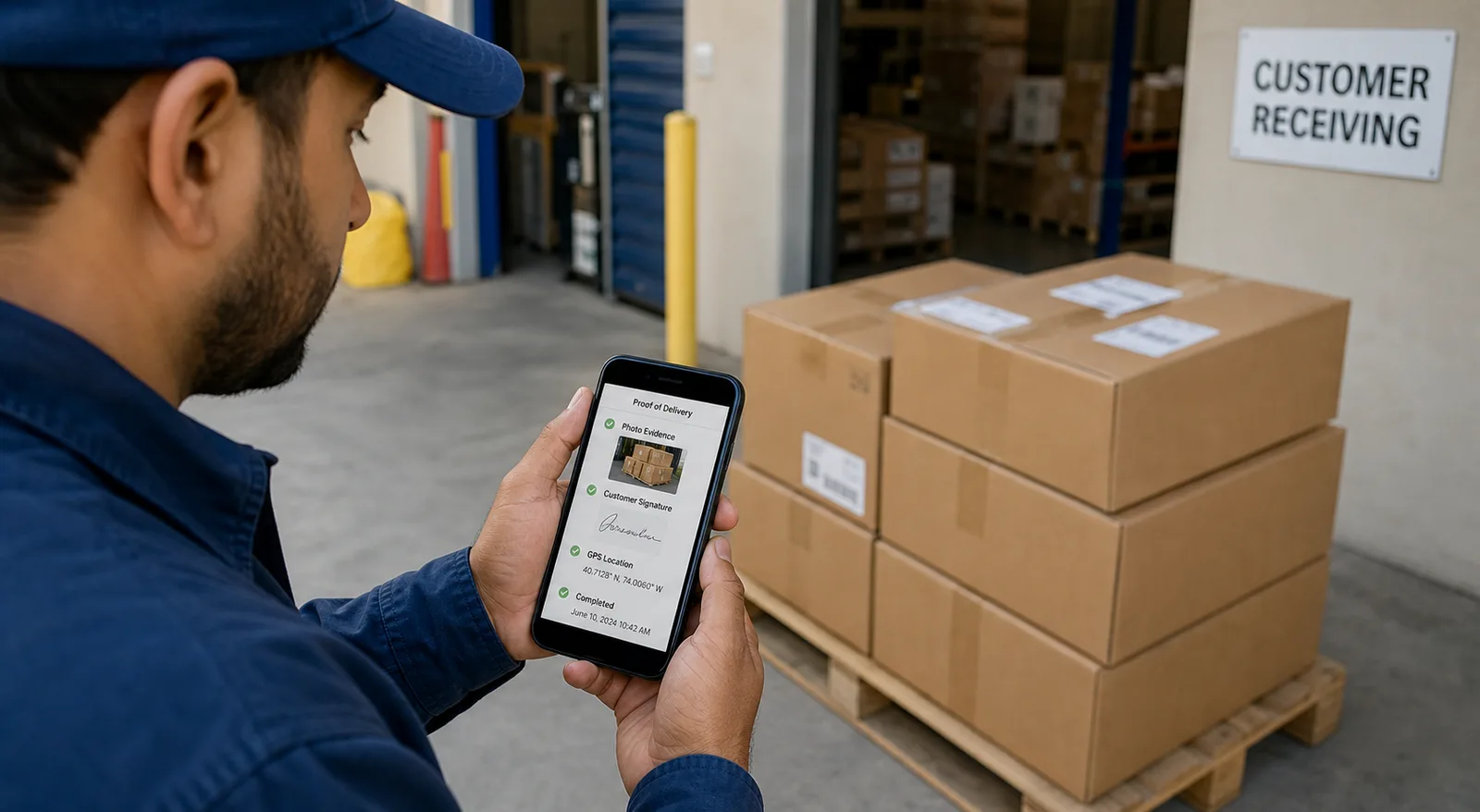
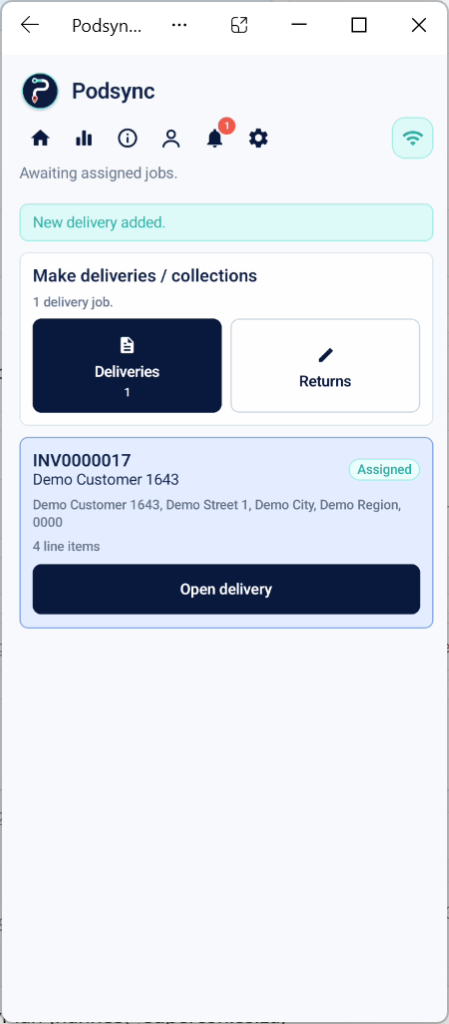
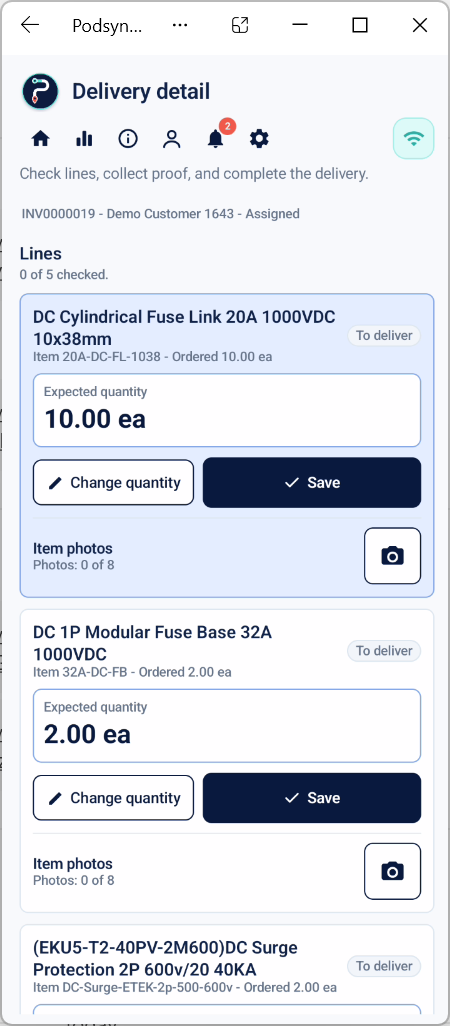
PODsync Driver is the Android companion app for PODsync. Drivers and warehouse staff use it to see assigned delivery work, capture proof, collect customer signatures, add photos and notes, and send the completed record back to PODsync.
Google Play listing is being prepared
Coming soonDriver app screenshots
Drivers can open assigned work, check quantities, capture photos, collect customer sign-off, and record returns from the Android app.
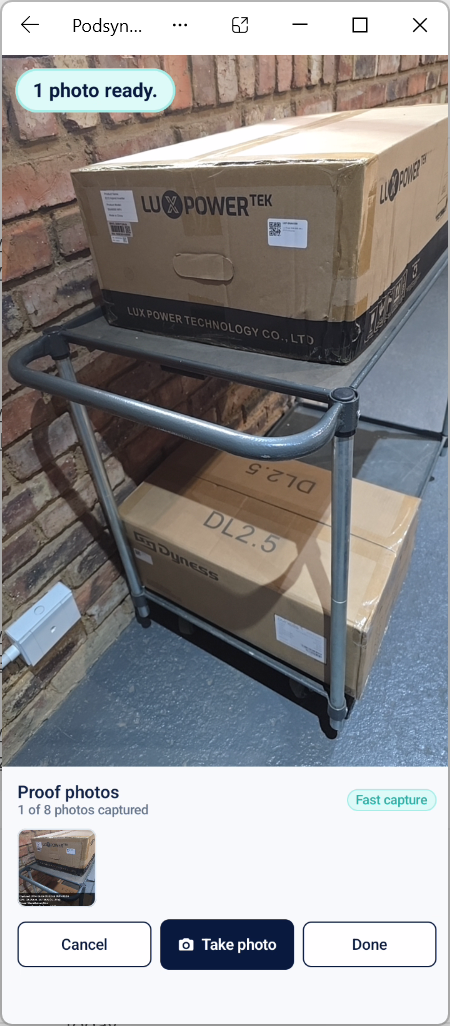
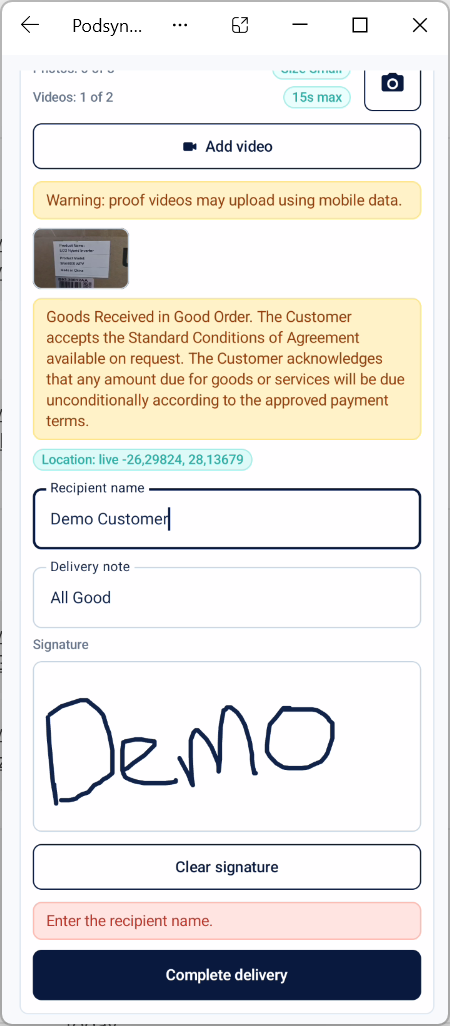
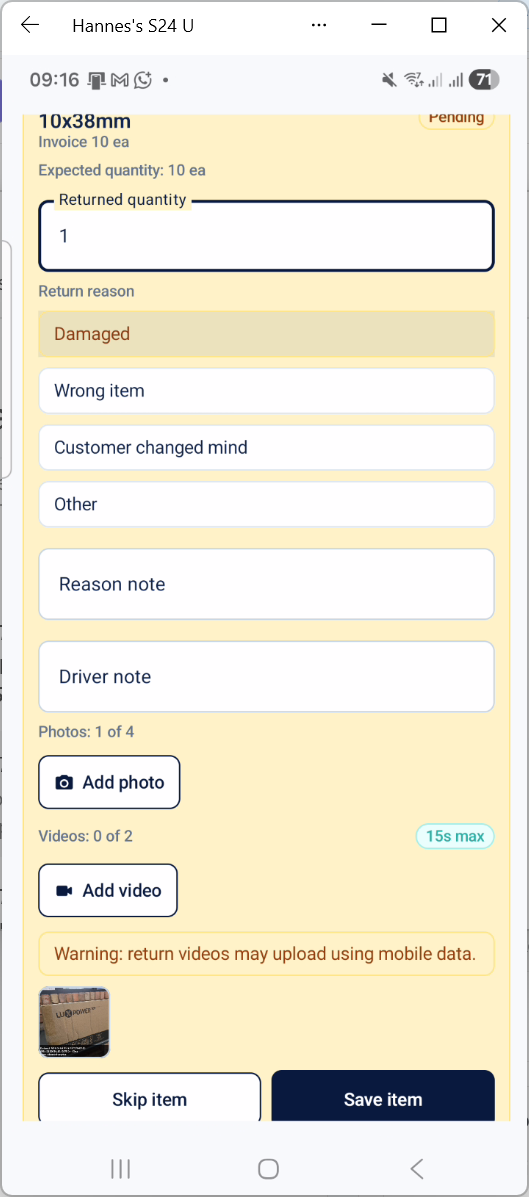
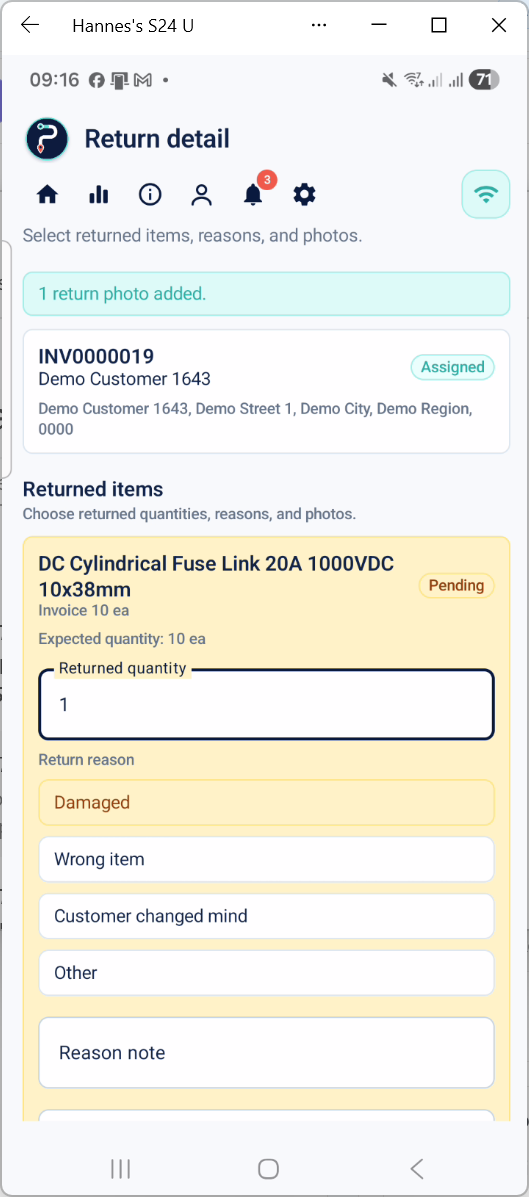
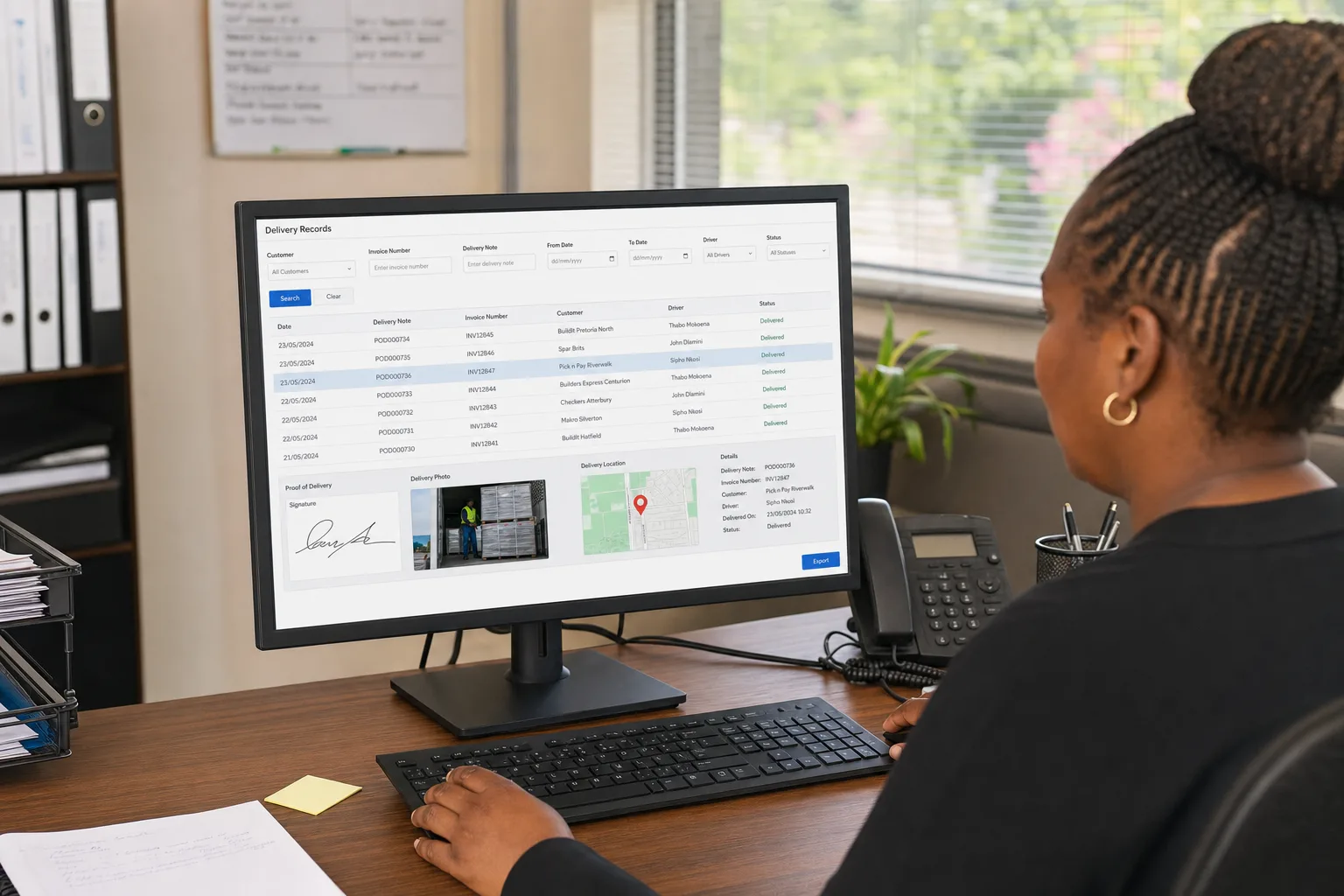
Office teams can open active deliveries, check completed proof, review return details, and see signatures, photos, maps, quantities, and notes without searching through paperwork.
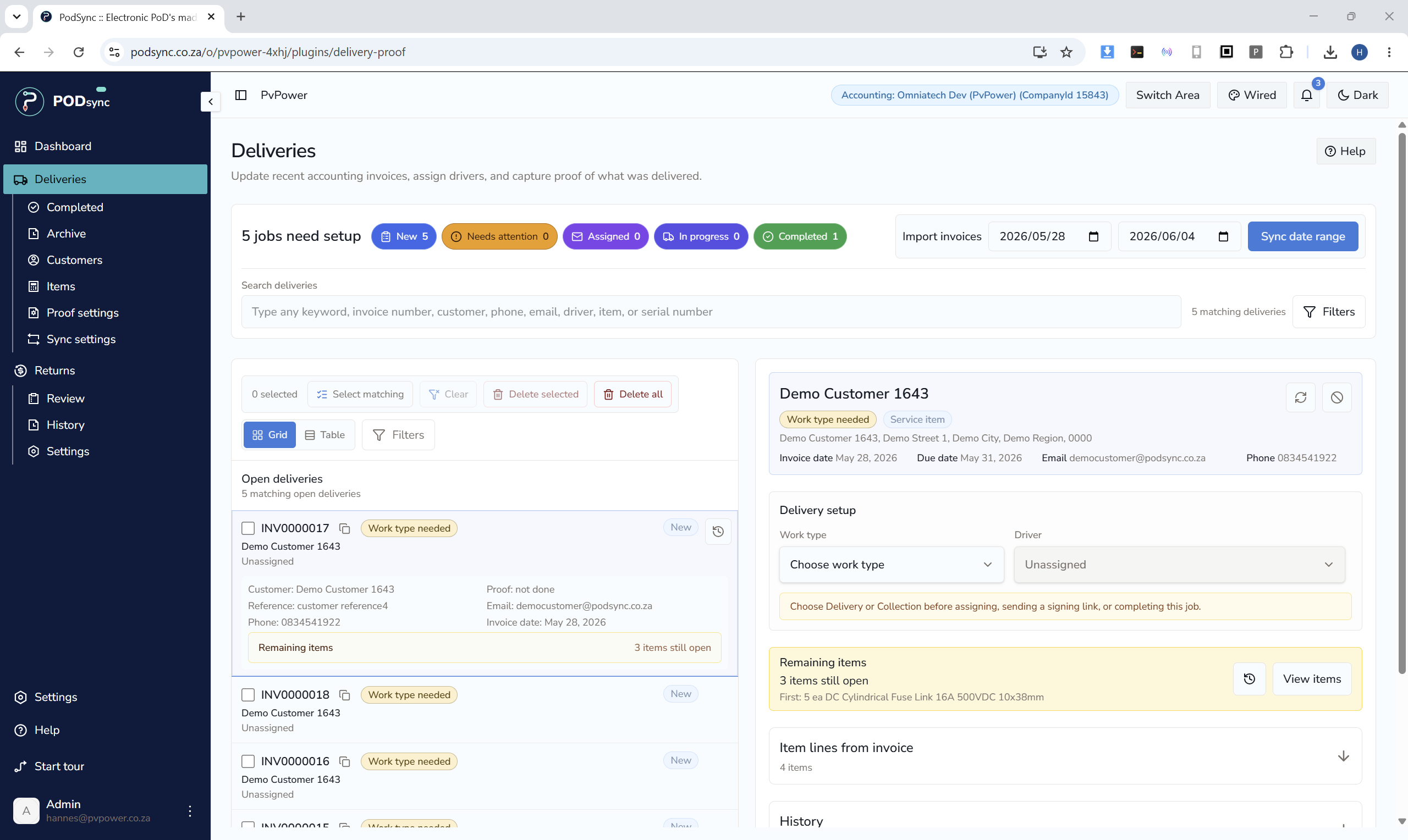
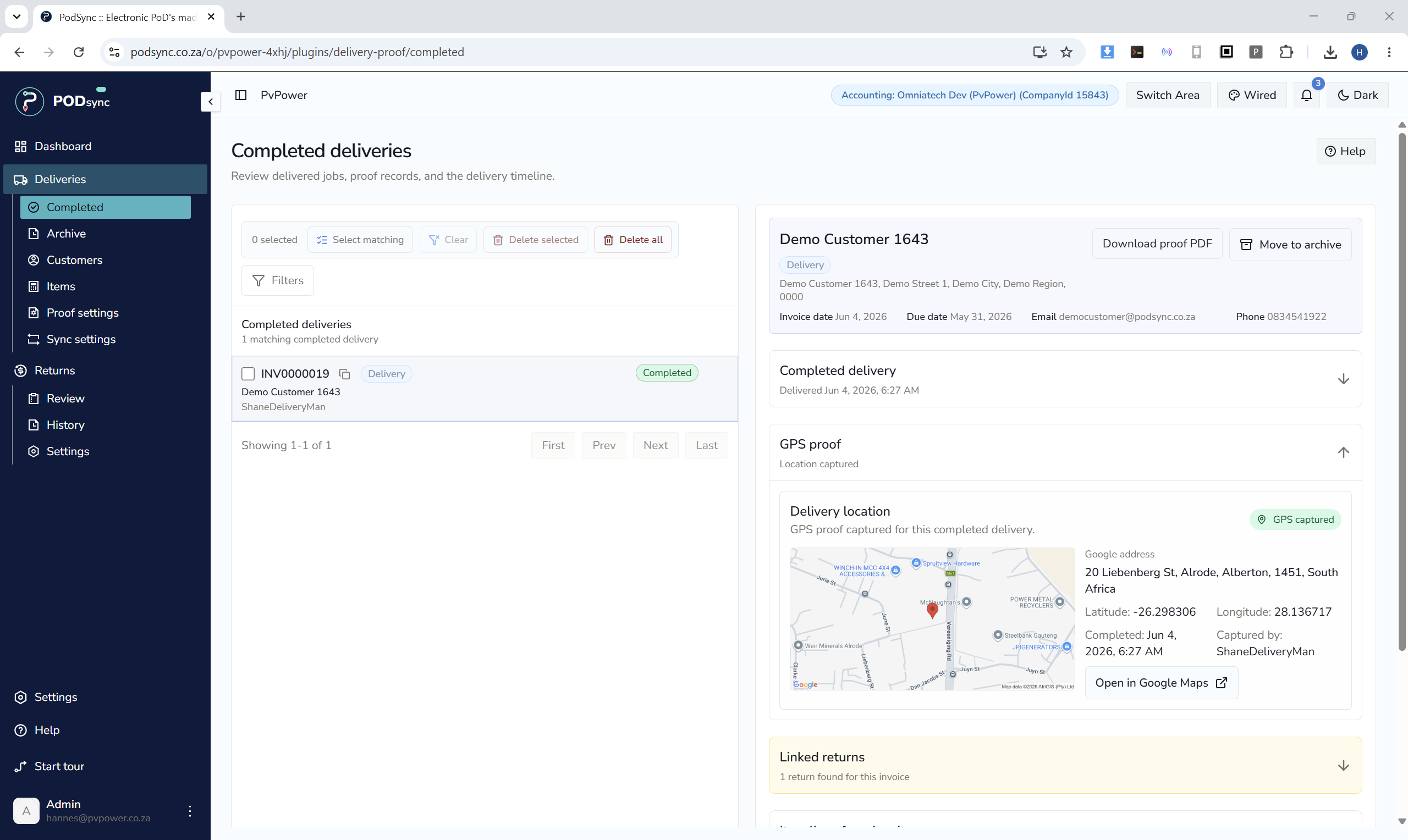
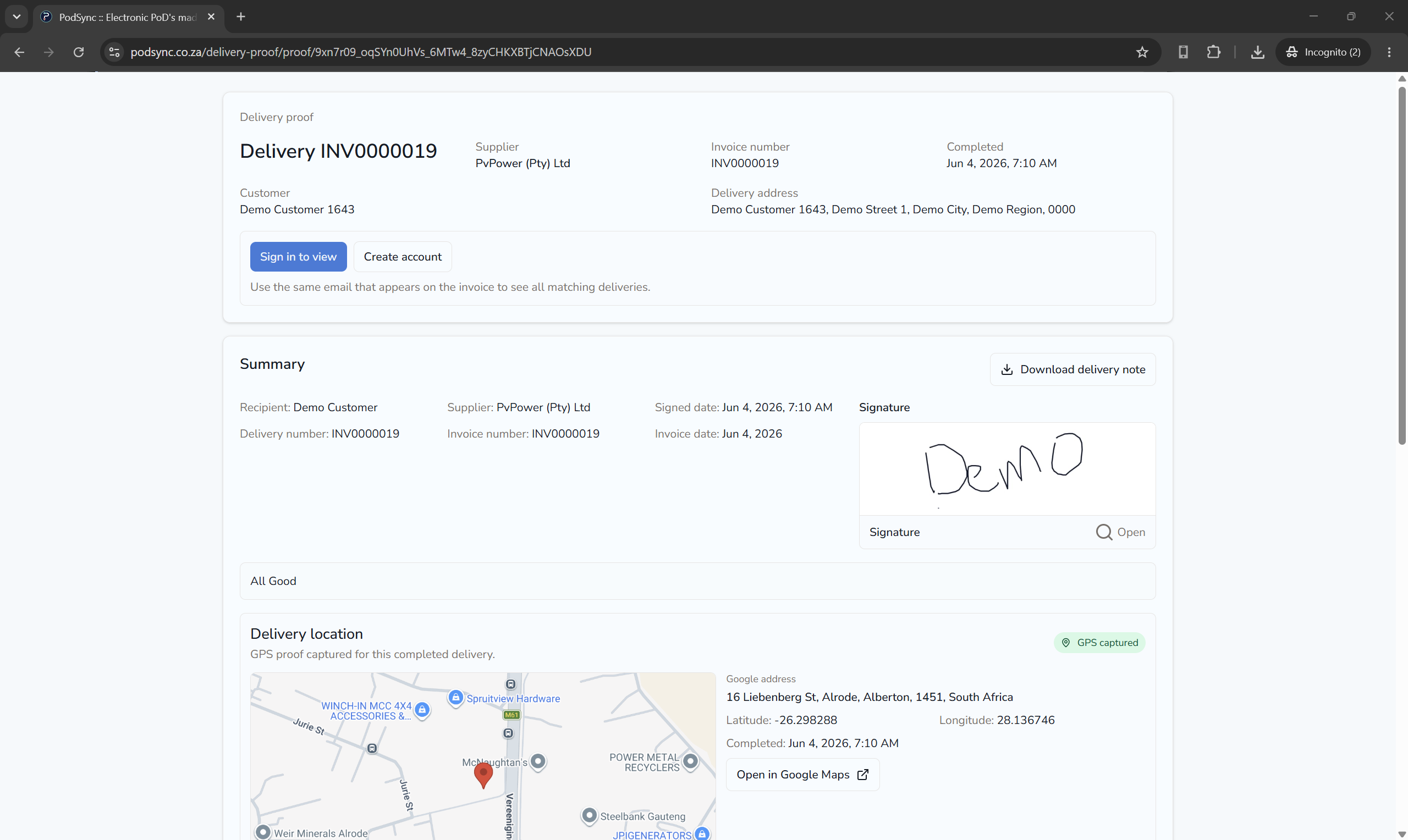
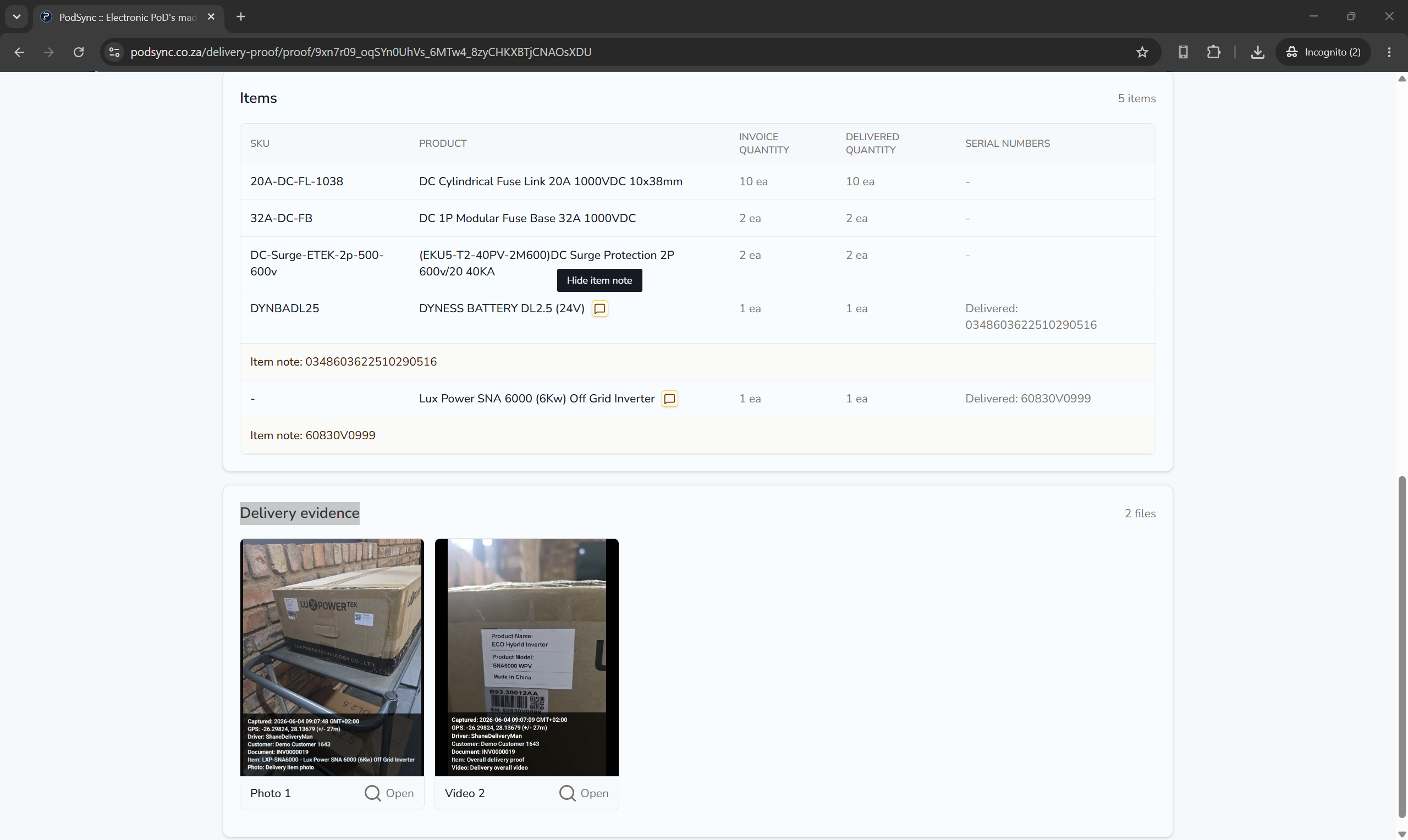
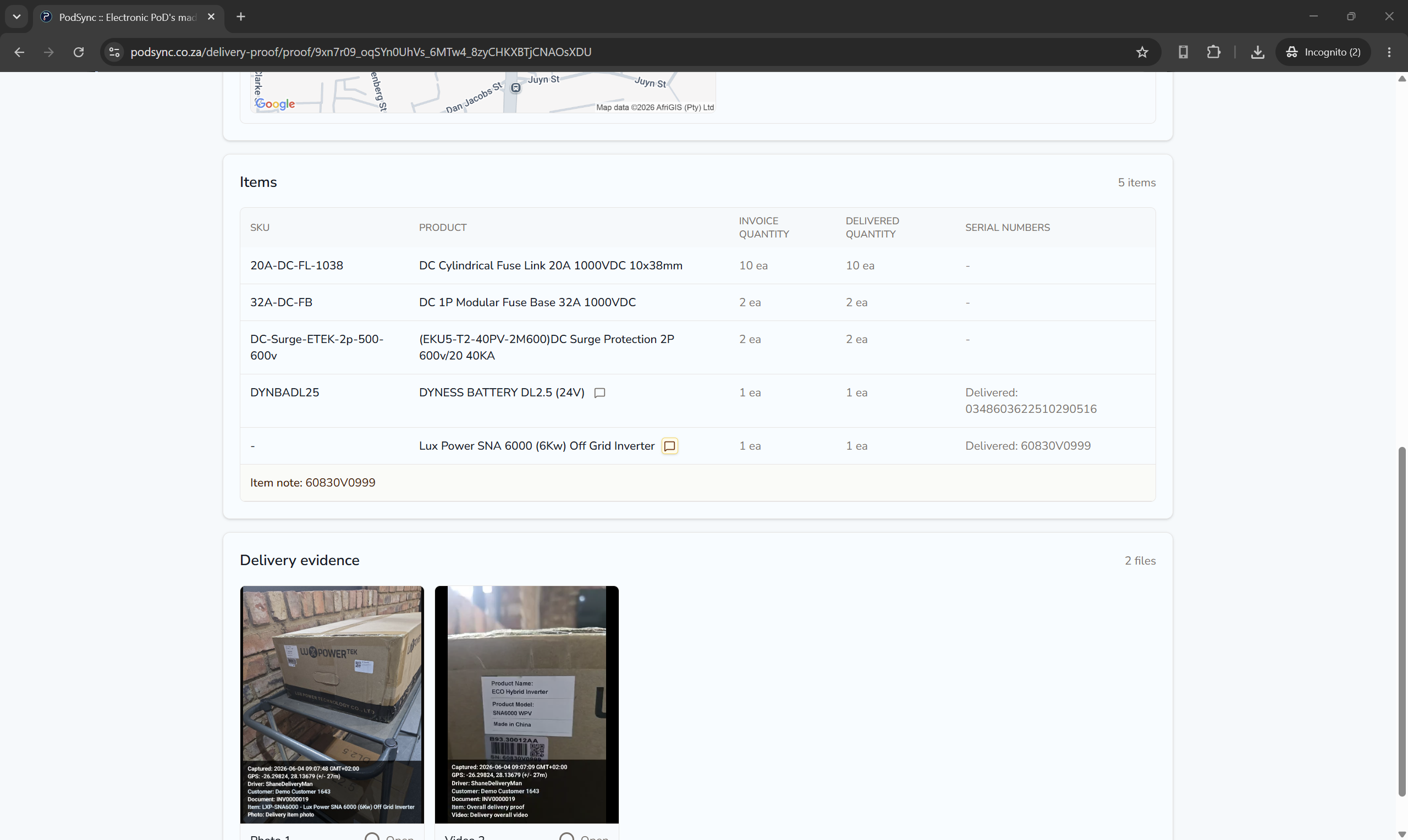
PODsync helps businesses manage delivery records with searchable proof, customer access, and controlled archiving in one digital workflow.
PODsync is developed by PvPower, a company focused on improving delivery-note control and operational efficiency.
Find delivery records by customer, invoice, delivery note, driver, date, or status.
Give customers and internal teams answers without digging through paper files.
Keep signed proof, photos, timestamps, notes, quantities, and location evidence where supported linked to the delivery record.
Delivery proof becomes business evidence, not loose paperwork.
Use captured proof to answer customer disputes, short deliveries, partial deliveries, and invoice questions.
Your team can show what happened instead of relying on memory.
Review returned items, photos, notes, quantities, serial numbers from CSV line comments where available, and original delivery proof.
Make credit decisions from evidence instead of unsupported claims.
PODsync can keep normal line-item proof photos and also let staff upload additional evidence photos from the Android phone gallery during customer sign-off. That gives service teams, installers, repair teams, and delivery teams one proof pack for the customer and invoice record.

Invoice line
Line item proof
Completed tap photo captured during proof completion.
Additional evidence
Broken-tap photo uploaded from the Android phone gallery.
Invoice line
Line item proof
Completed installation photo captured against the invoice line.
Additional evidence
Supporting site photo uploaded from the phone gallery.
Invoice line
Line item proof
Finished cupboard photo captured against the invoice line.
Additional evidence
Supporting installation photo uploaded during customer sign-off.
Invoice line
Line item proof
Completed repair photo captured during proof completion.
Additional evidence
Site photo, notes, time/date, and customer signature kept together.
Treat delivery notes as business assets and protect the company when customers, invoices, or returns are questioned.
Keep proof organised so delivery, collection, and return queries do not stall the day.
Use invoice lines for repairs, call-outs, installations, and work completed, then give customers proof that the job was done.
Capture and find proof without paper piles, filing cabinets, or repeated scanning.
Give customers controlled access to delivery and return records without waiting for scanned paperwork.
PODsync can use invoice, customer, and item data from approved accounting integrations where supported.
That keeps the workflow focused on the delivery record, not duplicate admin capture.
Use approved accounting data where supported
Prepare delivery-ready records from invoices, customers, and items
Keep delivery proof linked to the source record
Stay focused on proof, customer visibility, and return evidence
Use approved accounting data where supported to prepare delivery-ready records from invoice, customer, and item details.
Drivers and warehouse teams capture signatures, photos, timestamps, notes, quantities, and location evidence where supported in the Android app.
Find proof by customer, invoice, delivery note, driver, date, or status, then share approved records or review returns before credit decisions.
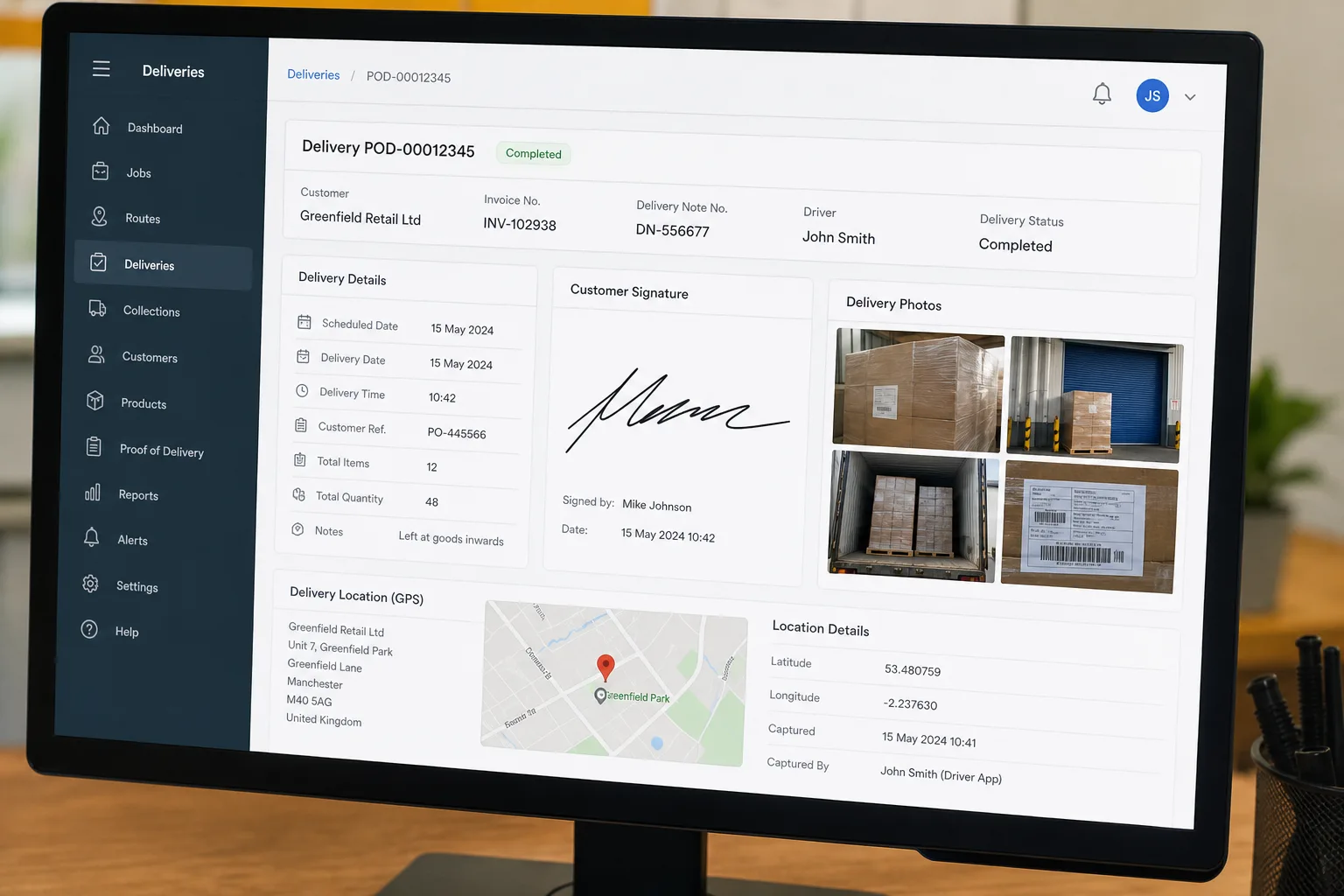
Customers can view approved delivery and return records they are allowed to see. Internal teams can review return evidence before credit decisions.
Start simple
Try PODsync for free and give your team business evidence that is captured, organised, and easy to find.